01 · TRAINING
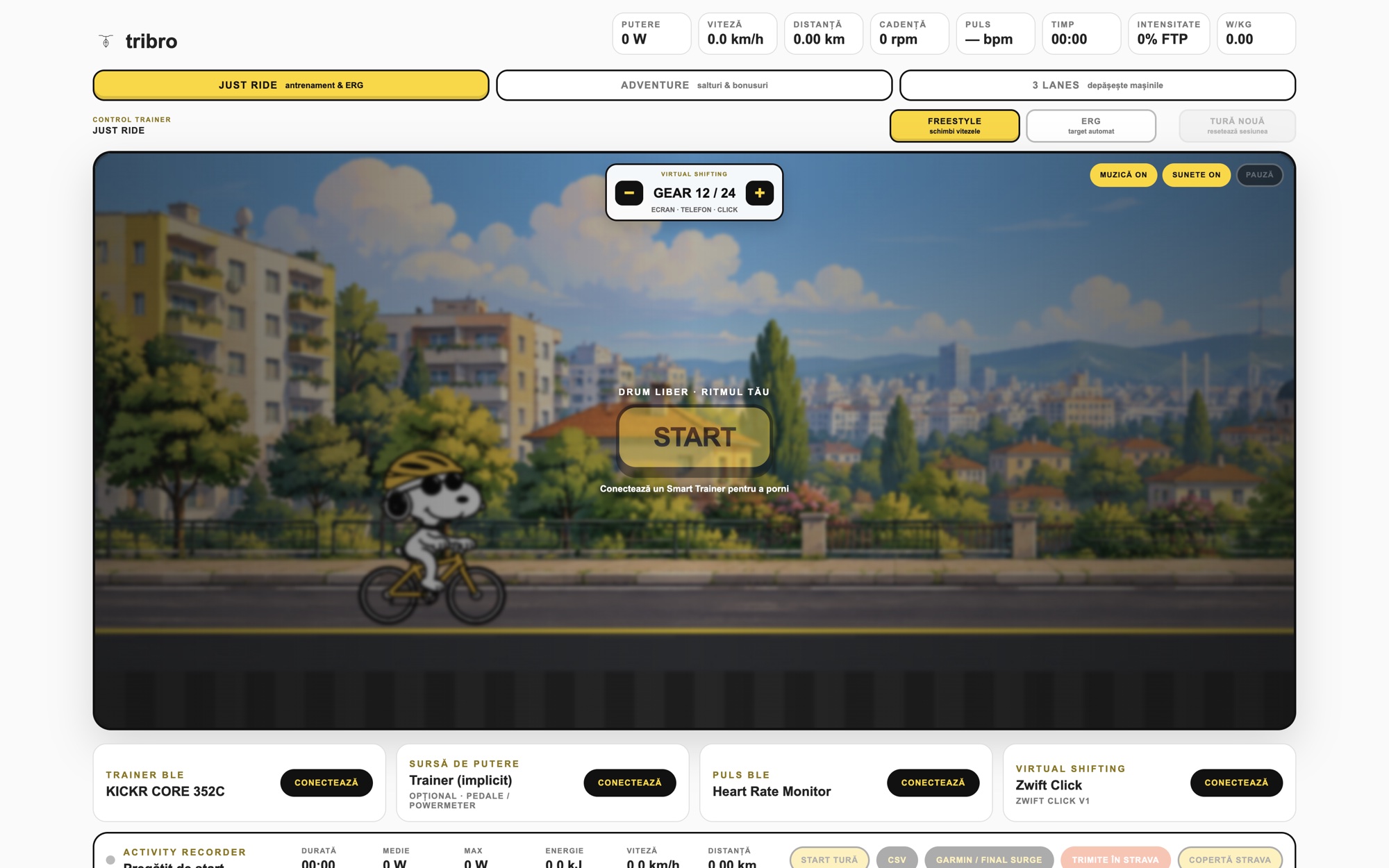
Just Ride
Ride freely with virtual gears or start an ERG workout. Power, cadence, heart rate, speed and distance remain visible and are recorded.
A free indoor cycling app for smart trainers, available on desktop, in your browser or on your phone inside the Tribro App, built around your training: ERG, freestyle rides, structured workouts and two game modes for the days when you want trainer time to feel different.
No installation · Chrome or Edge on desktop and Android
Your profile, connections, workouts and ride each have their own space. Settings and previously used devices remain saved locally.
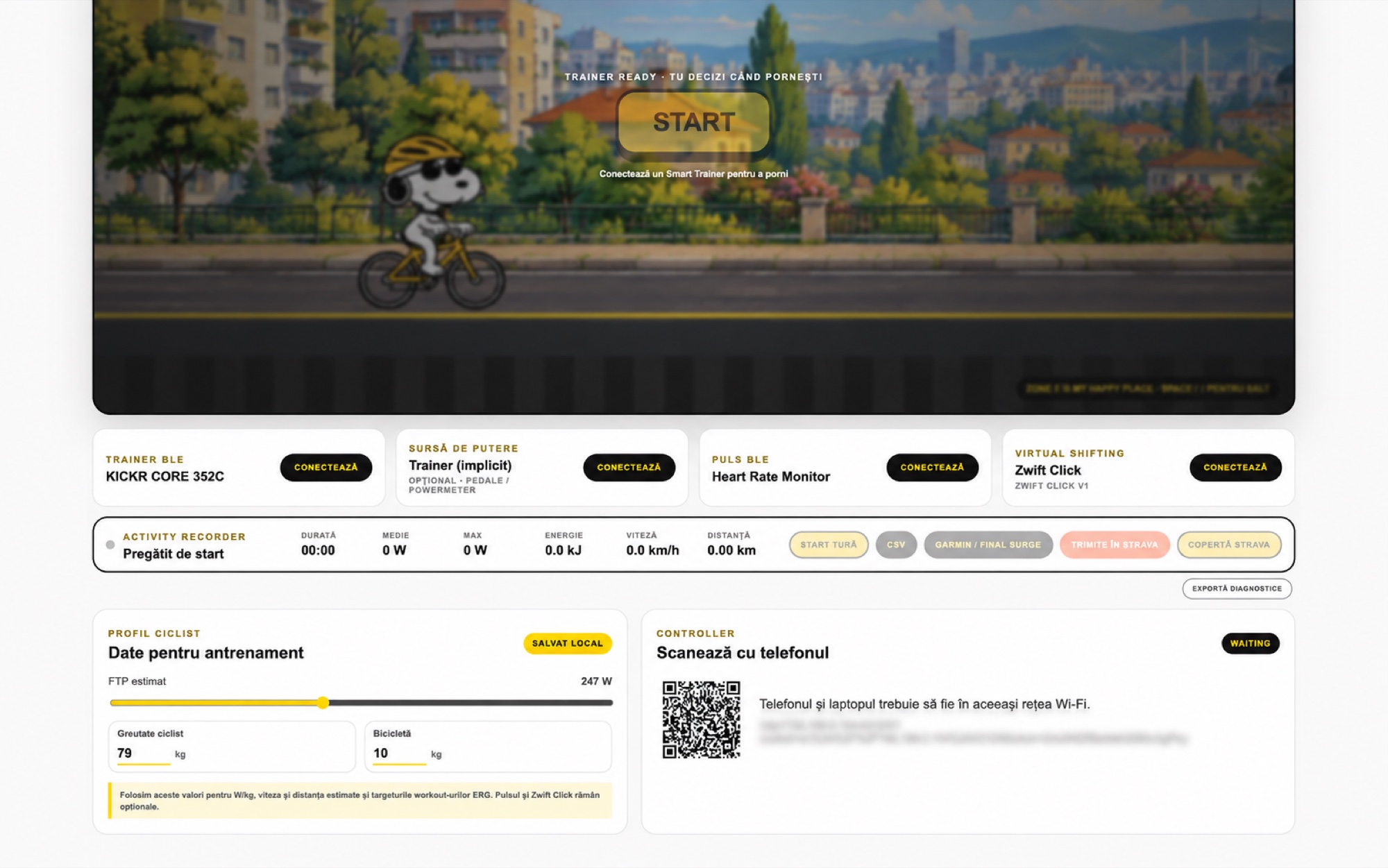
Add your estimated FTP, body weight and bike weight. The app uses them for W/kg and speed and distance estimates.
Choose your trainer, heart-rate monitor and, optionally, a Bluetooth power meter. The next time you start, the app will try to reconnect them automatically.
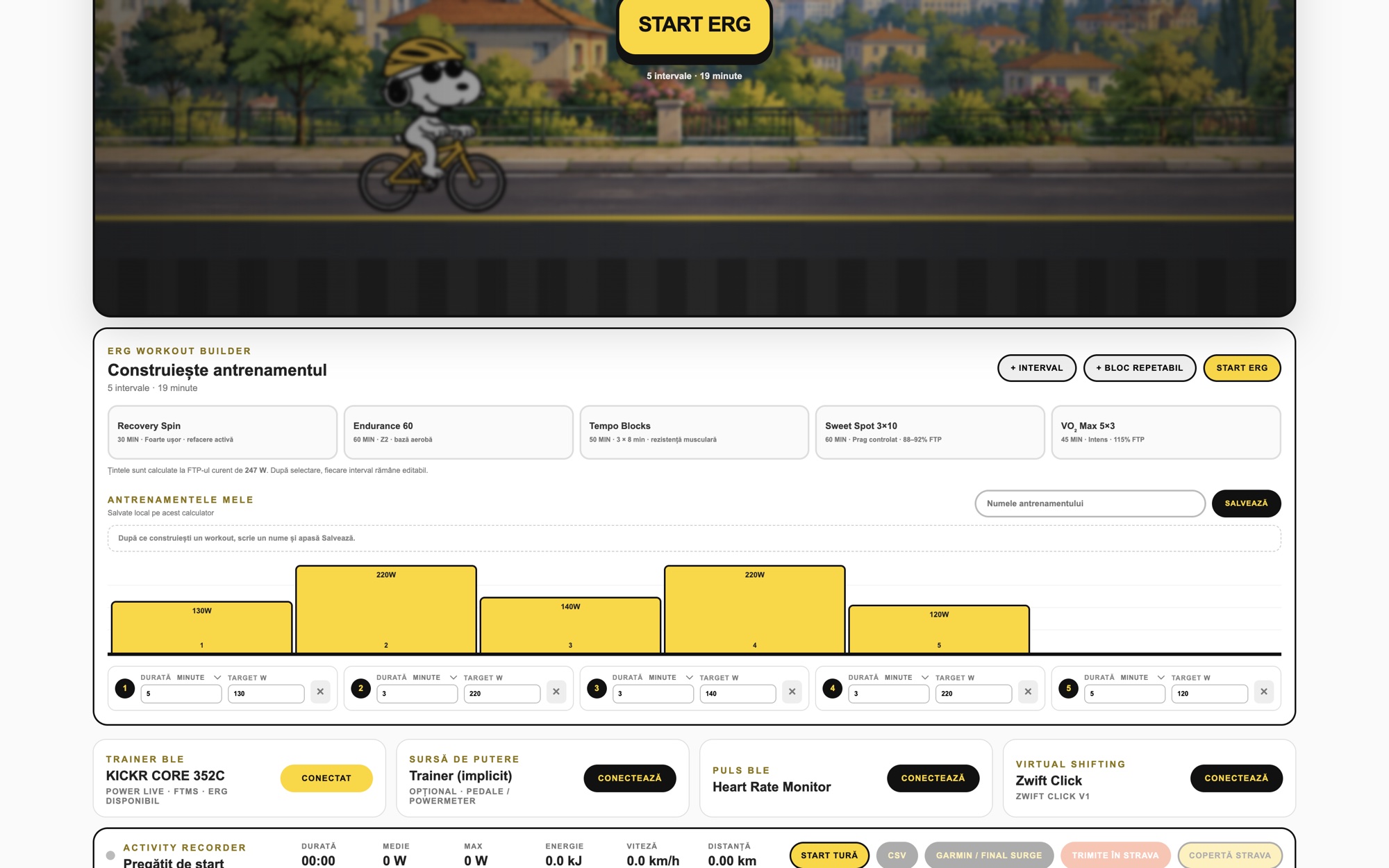
Build intervals and blocks or import a FIT, ZWO, ERG, MRC or Tribro workout.
Choose Just Ride, Adventure or 3 Lanes in Freestyle or ERG. Your phone can become a controller through a single QR code.
The app saves your ride data, uploads the activity directly to Strava or intervals.icu and can generate a separate cover image.
The trainer sets the effort. You decide how much play you want on screen.
Ride freely with virtual gears or start an ERG workout. Power, cadence, heart rate, speed and distance remain visible and are recorded.
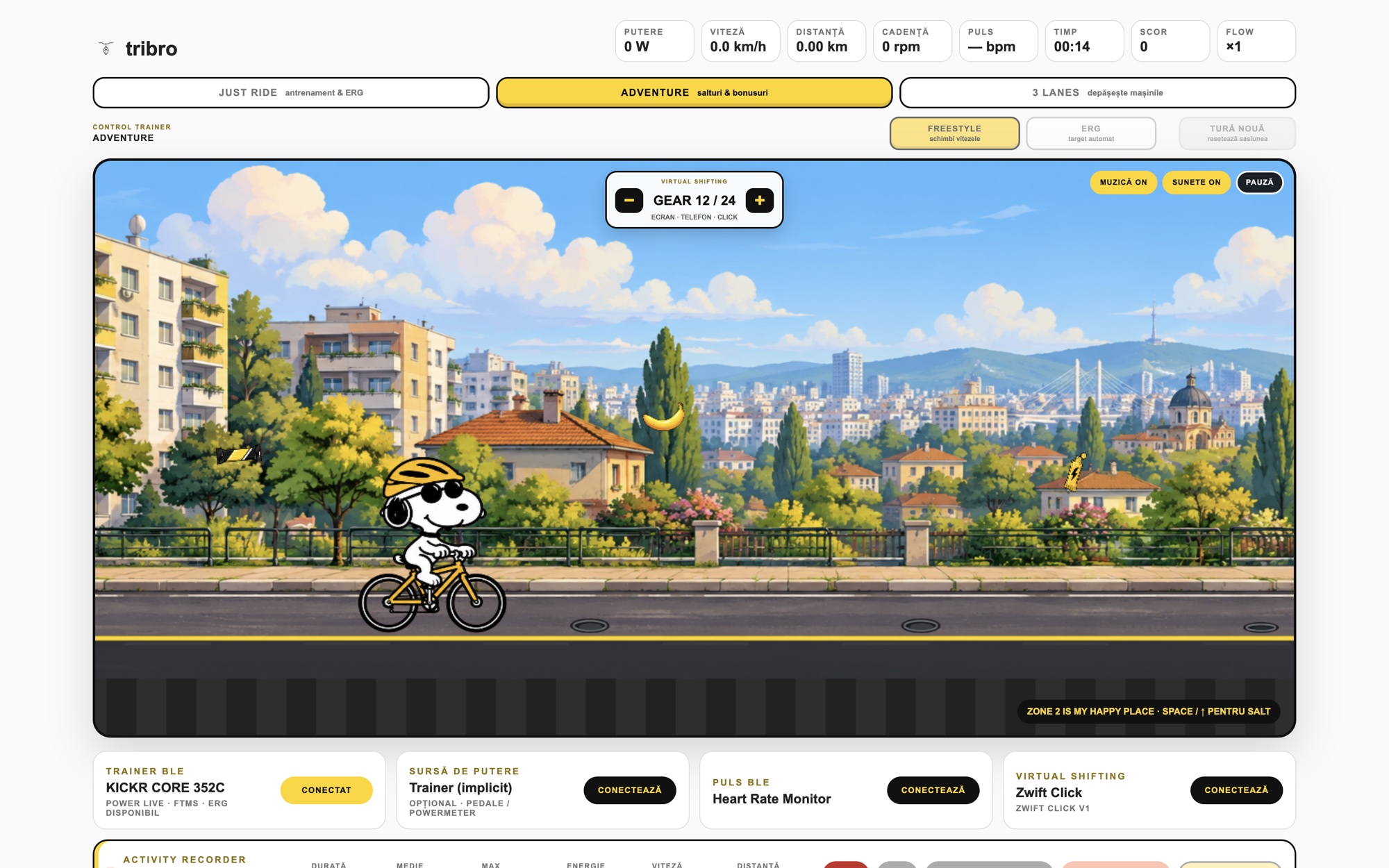
Jump with Space, ↑ or the phone button. Collect bananas, gels and bottles for points while avoiding potholes, dogs and open car doors.
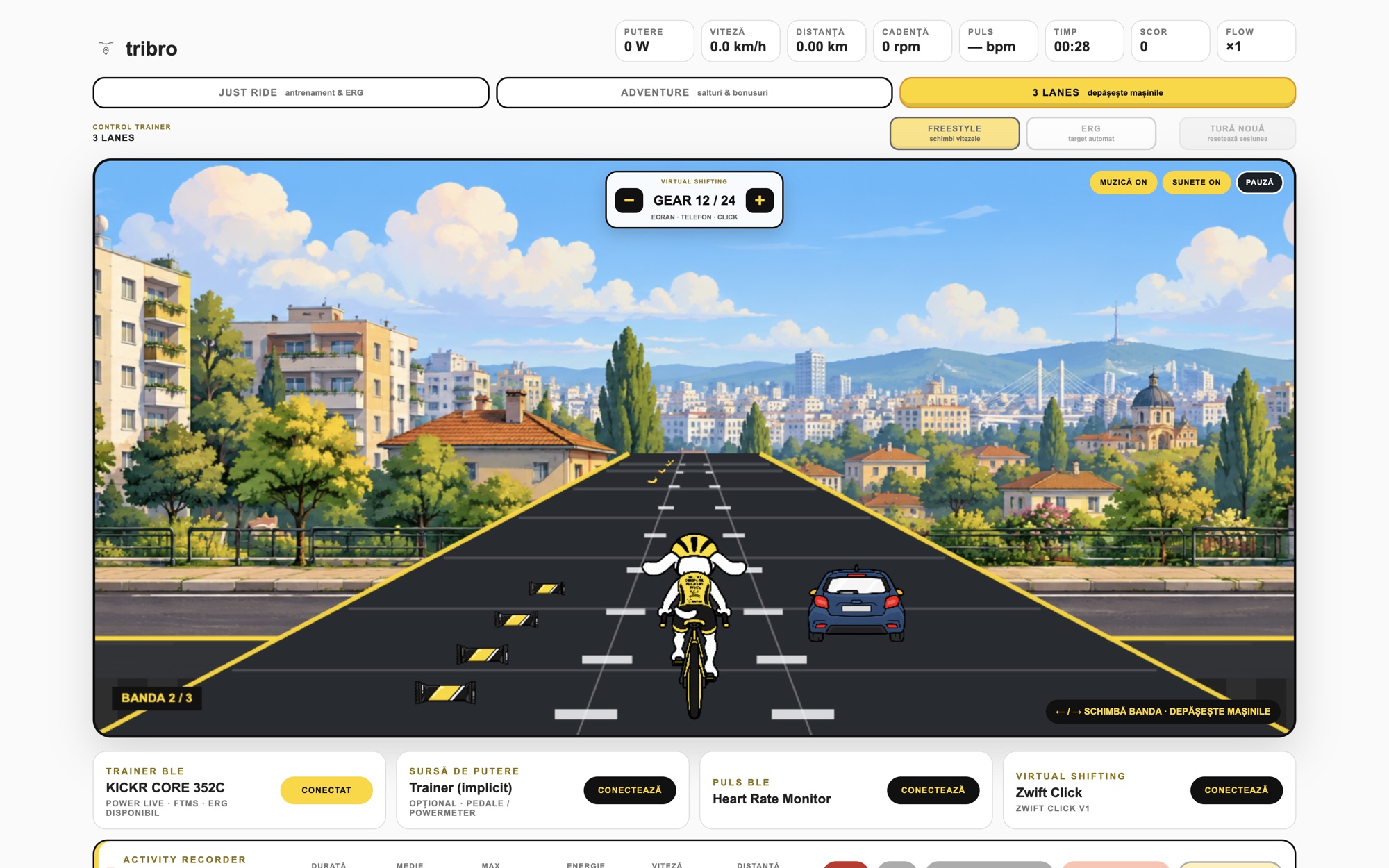
Change lanes with ← / →, A / D or the arrows on your phone. Avoid cars and find a clear line to collect fueling bonuses.
You can use either control type in Just Ride, Adventure and 3 Lanes.
Ride freely and decide how light or heavy the virtual gear feels. You have 24 gears and can shift without Zwift Click, directly on screen or from your phone.
The app sends each interval's power target to the trainer, and resistance adjusts automatically to keep you on target. A trainer with ERG support is required.
Choose a built-in workout, create your own or import a session made on another platform. Intervals can use constant power or ramps, cadence targets and targets in % FTP or watts for the entire workout.
Connect your intervals.icu account from the workout screen. The cycling workouts you or your coach planned for today and the next 6 days appear in Tribro and run in ERG, in % FTP, so they follow the FTP set in the app.
After the ride, send it back with one button. The activity is paired with the planned workout and shows as done in your intervals.icu calendar.
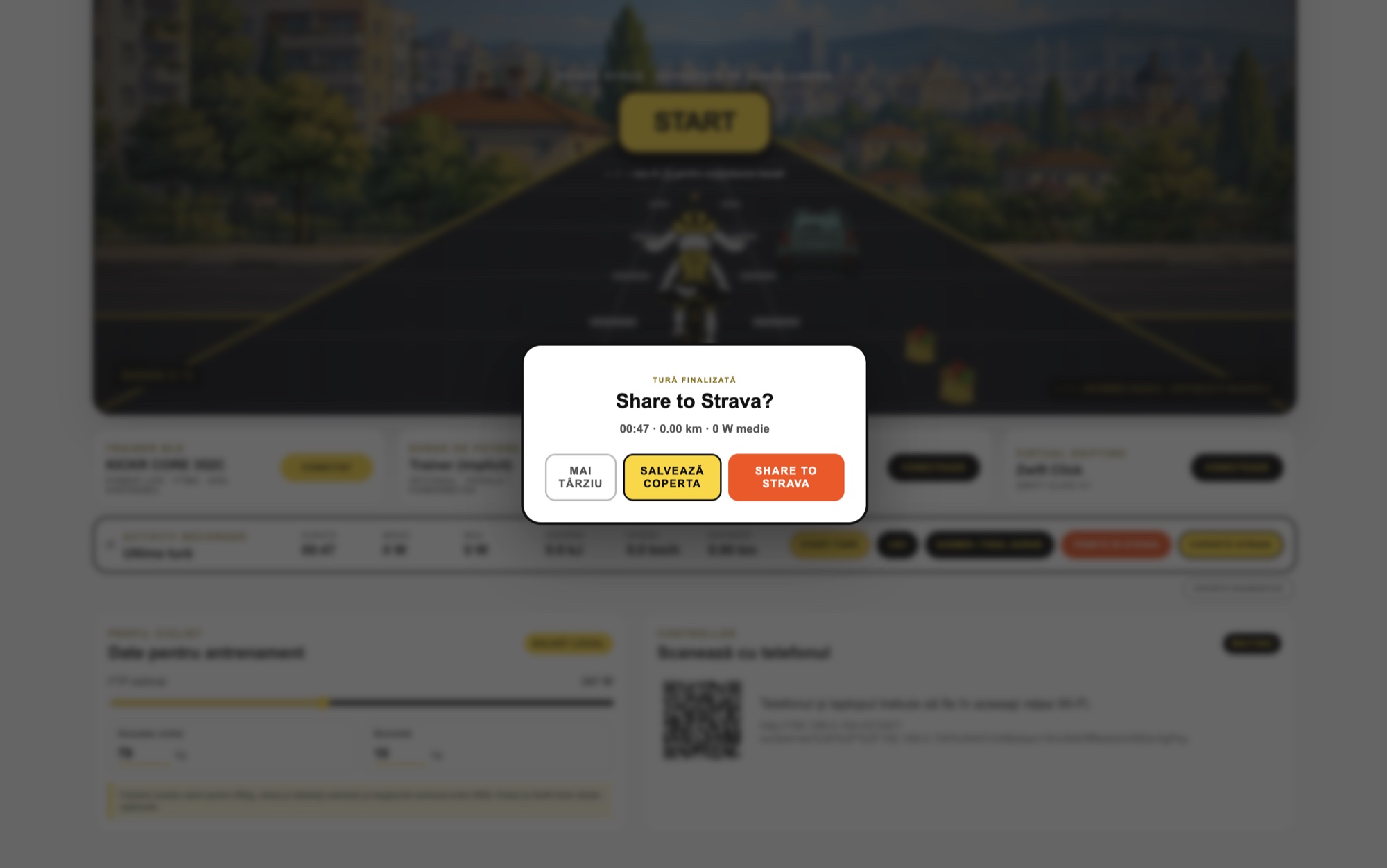
Connect your Strava account once, then upload the activity directly from the app after each ride. Your data reaches Strava without a manual export and reimport.
Tribro also generates a separate cover with your ride statistics. Save it locally, add it manually to the Strava activity or share it in any other app.
Free · version 1.6.0 · macOS, Windows, browser, iPhone, iPad and Android
Checking your device to recommend the right version.
The same workouts and games, with no installation. Connect your trainer over Bluetooth in Chrome or Edge on desktop or Android.
The same workouts and games on your phone or tablet. Your trainer, heart-rate monitor and Zwift Click connect over Bluetooth, and you can upload the ride to Strava or export it from your phone.
For regular training we recommend the desktop app: it reconnects your trainer, heart-rate monitor and Zwift Click automatically and includes phone controls.
M1, M2, M3, M4, M5 or a later generation.
Recommended for you Download for Apple Silicon macOS · DMG · 162 MBFor models that show “Processor: Intel”.
Recommended for you Download for Intel Mac macOS · DMG · 169 MBFor 64-bit Windows computers.
Recommended for you Download for Windows Windows · EXE · 152 MBOpen → About This Mac.
The Windows version is still in testing and is not yet digitally signed. Windows SmartScreen may display a warning during installation.
The app searches for compatible devices, remembers your choices and attempts to reconnect them automatically at startup: trainer, power source, heart-rate monitor and controller. Devices must transmit over Bluetooth; ANT+ is not currently supported.
Compatibility, workouts and exports at a glance.
Yes. Tribro Home Trainer is free on macOS and Windows, in your browser at indoor.tribro.ro and inside the Tribro App on iPhone, iPad and Android. There is no subscription and no account is required; Strava is optional.
Yes. Open indoor.tribro.ro in Chrome or Edge on desktop or Android and connect your trainer over Bluetooth. Safari, Firefox and browsers on iPhone and iPad do not currently provide trainer Bluetooth access; use Indoor inside the Tribro App there. The desktop app also reconnects devices automatically at startup and includes phone controls.
Yes. Indoor is included in the free Tribro App on the App Store and Google Play. Your trainer, heart-rate monitor and Zwift Click connect over Bluetooth, and you can upload the ride to Strava or export it from your phone.
Tribro Home Trainer looks for Bluetooth devices that expose standard indoor cycling services. Resistance control, ERG and available data depend on each trainer's capabilities. ANT+ is not currently supported.
Yes. The workout builder supports constant-power intervals or ramps, optional cadence targets, repeatable blocks—including nested blocks—and a per-workout selector between % FTP and watts.
You can import and export Tribro, ZWO, FIT, ERG and MRC formats. Before import you can preview the workout, and if the file uses a different FTP you can convert its targets. This lets you move structured workouts between Tribro and compatible platforms.
After the ride you can upload the activity directly to Strava or intervals.icu, save the cover generated by Tribro and export ride data as CSV or TCX for Garmin Connect, Final Surge and other compatible services.
Yes. Connect your intervals.icu account in the workout screen and the cycling workouts planned for today and the next 6 days appear in Tribro. You ride them in ERG, in % FTP, and the finished ride can be sent back, paired with the workout in your calendar. You can disconnect at any time.
Yes. In the desktop app, your phone connects through a QR code on the same local network. Zwift Click v1 and v2 can control virtual gears or intensity, depending on the selected mode, in both the desktop app and browser.
Prepare the technical report from the app's final screen and send the archive, together with a short description, to tech.tribro@gmail.com.